Welcome to Car Audio/Navigation Unit ERC Unlocker

Is your NSZT-W62G head unit locked after a battery change or power loss? Get back GPS, radio, Bluetooth and all features with a safe, fast online unlock from ERCUnlocker.com.
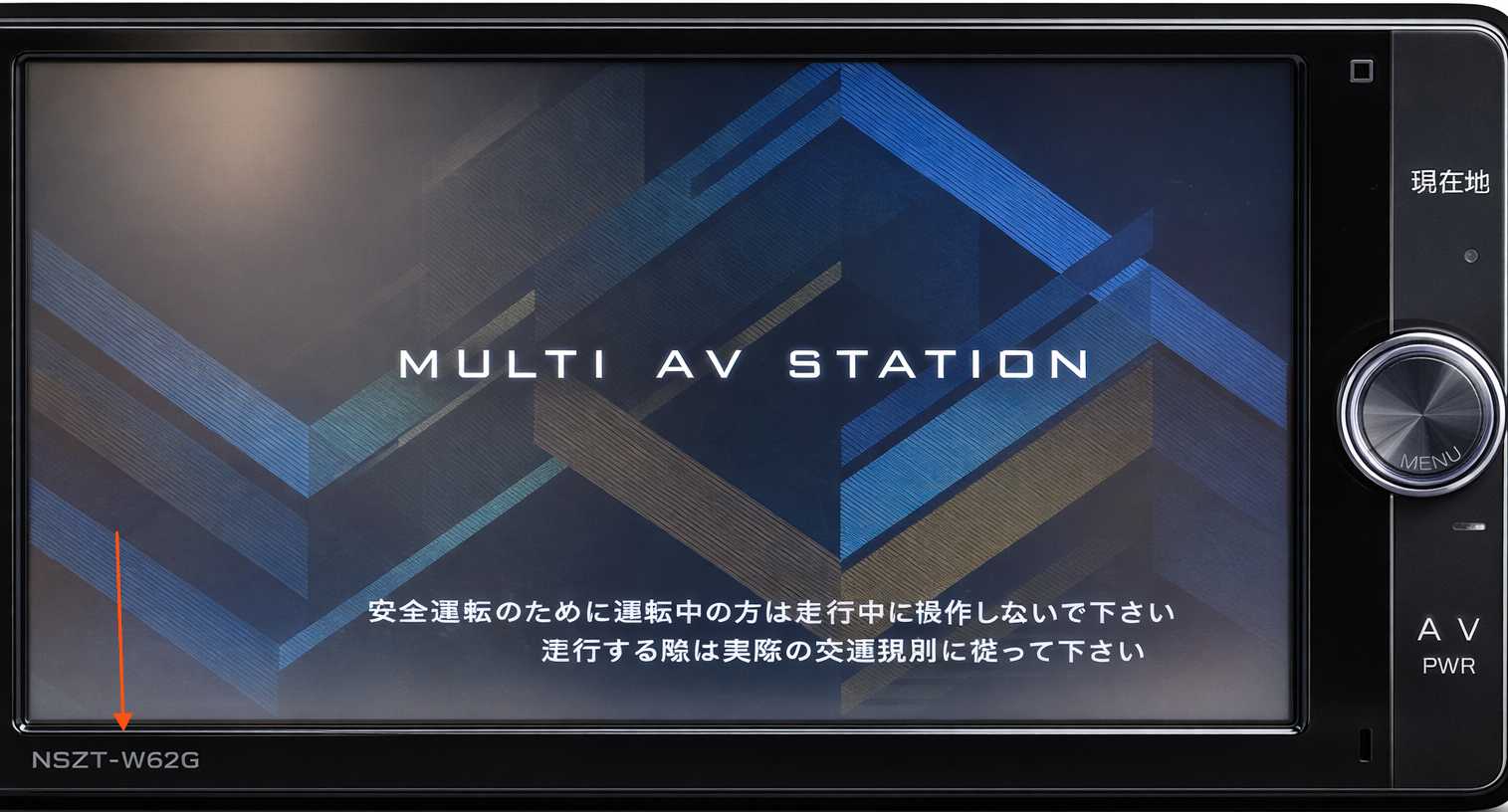
Unlock NSZT-W62G Toyota / Nissan Car Multimedia

NSZT-W62G unlock

Step‑by‑Step: Unlock Your NSZT-W62G

  1. Find your unit details: Confirm the model number NSZT-W62G written on the border edge of the device screen. Refer to above image with blue arrow pointing at the model number
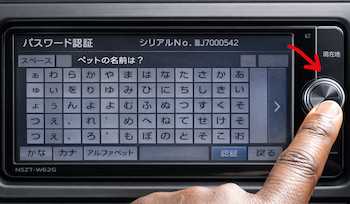
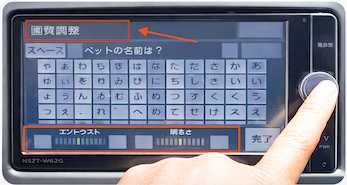
  2. Find ERC Serial Number:
      Step 1: After the unit is powered on, press and hold the main knob for a few seconds until the screen flickers.
      Toyota NSZT-W62G Japanese-import multimedia unit powered on in ACC mode
      Press and hold the main knob
      Step 2: Wait until a new screen appears with the text shown in the image below.
      Powering on Toyota NSZT-W62G navigation and multimedia unit in Japanese-import vehicles
      Look for the text marked in red before proceeding
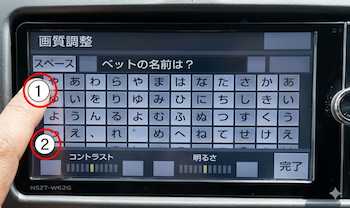
      Step 3: Tap the top-left corner, as shown in circle 1.
      Toyota service access screen displayed on locked NSZT-W62G Japanese-import head unit
      Tap the top-left corner
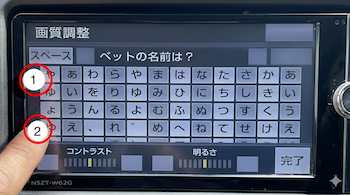
      Step 4: Tap the bottom-left corner, as shown in circle 2. Then repeat the sequence — tap 1, then 2 — until the service menu screen appears.
      Security lock screen on Toyota NSZT-W62G head unit showing where to tap bottom-left corner
      Tap the bottom-left corner
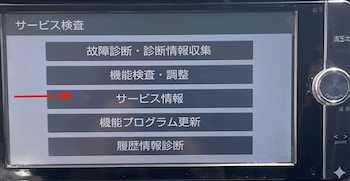
      Step 5: Tap the 3rd button in the service menu screen.
      Accessing hidden service menu on Toyota NSZT-W62G Japanese-import navigation unit
      Toyota Service Menu Page
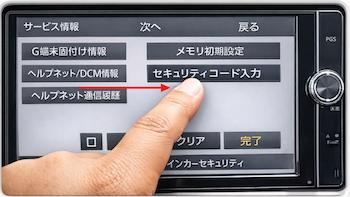
      Step 6: Tap the 2nd button in the service menu screen.
      Service menu screen on Toyota NSZT-W62G multimedia/navigation unit used for ERC code retrieval
      Service Menu for ERC Screen
      Step 7: This is your 16‑digit ERC Serial Number.
      Proceed to the home page and purchase your Unlock Code by entering the ERC Serial Number and selecting “ALL Other Models” for NSZT‑W62G.
      ERC Serial Number displayed on Toyota NSZT-W62G head unit for unlock code generation
      ERC Serial Number Information
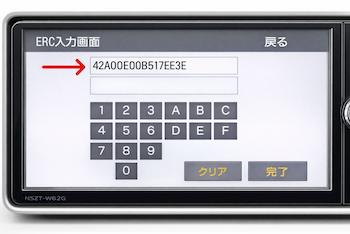
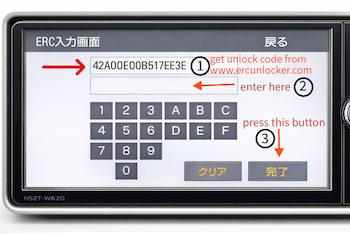
      Step 8: Enter the unlock code and press Enter.
      Entering ERC Unlock Code on Toyota NSZT-W62G Japanese-import navigation unit
      Enter ERC Unlock Code
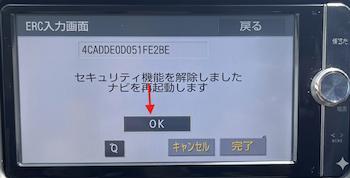
      Step 9: Follow the on-screen prompts.
      Toyota NSZT-W62G Japanese-import navigation unit during unlock process
      Press OK to restart
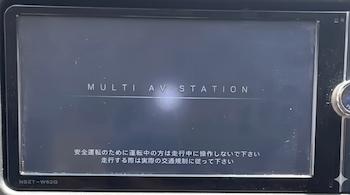
      Step 10: The Toyota NSZT‑W62G Japanese-import navigation unit will restart, unlocked and reset to factory mode.
      Toyota NSZT-W62G Japanese-import navigation unit restarting after unlock code entry
      Unit restarts and restores
    Tip: Generate Code when you are on ERC Serial screen of car multimedia system.

Compatibility & Notes

  • Supports Toyota/Nissan Japanese‑market units branded Fujitsu/Panasonic.
  • Functions like GPS maps, radio bands, and language remain per the unit’s original firmware.
  • If need help, reach us Get in Touch.

Frequently Asked Questions

👉Why did my NSZT-W62G lock?
The unit requests a code after power loss (battery replacement, disconnect, or jump start) as a theft deterrent.
👉How long does it take to receive the code?
Order is processed promptly, code is displayed on screen after payment. A copy of the codes is emailed to you.
👉What if my code doesn’t work?
We’ll help verify your model details and re‑issue where needed. Contact Support
👉Can you unlock other Toyota/Nissan models?
Yes, we support a wide range of Japanese import head units. See more on our homepage.

Feel free reach us via Contact Us page. Thanks.

Ready to Unlock Your NSZT-W62G?

Restore full access to navigation, audio, and Bluetooth.

👉Get Unlock Code
👉Contact Support


We offer competitive price.

With multiple languages support.

Pay with most popular and secure payment methods.

Your purchase is covered by money back guarantee.

Download our app and get our service at your fingertips.
© 2019 www.ercunlocker.com